
KI - Krypto Arbitrage Handel
Description of How to Use the Alfaview Meeting Room
You have two options for entering the Alfaview room:
1. via the app
2. via your browser
I recommend entering the room using the app. Please install the app—it is quick and easy. To do so, click on this link: https://alfaview.com
You can download the app directly from the Alfaview website.
Simply click the blue "Download" button to install the app.
This offers you the following advantages:
1. You can set up a virtual background.
2. You can configure your microphone settings.
3. You can select your camera.
4. All the necessary icons are available to you in the top toolbar.
5. You have access to 6 icons in the bottom toolbar, rather than just 4.
At the start of a meeting, we ask that you please do the following:
1. Please mute your microphone upon entering the room (I can unmute it for you if you wish to ask a question).
2. Please turn on your camera so that I can see you.
A description of the translation settings can be found at the bottom of this page, or by clicking here.
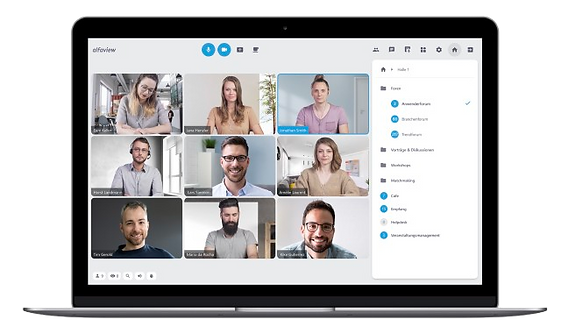
This is what your top bar looks like in Alfaview.


This is what your bottom bar looks like in Alfaview.
Entry into the Meeting Room
Click on the image on the left to be redirected to the meeting.
You can then use this link for every subsequent meeting.
You can join via the app or through your browser. The app offers you more features.
Here is how to access the meeting room

Please click on "Enter via Browser" so you don't have to download the Alfaview app.
hier Häkchen setzen
Please download the Alfaview app—it offers better features than the browser version.